01
Disputed receipts
A pallet arrives damaged, cartons are missing or the seal is not the one on the delivery note. The dock photo, with date, time and operator, ends the conversation in a minute.
AI-validated photos · Caotic module in production
The operator photographs the goods with the same handheld they already work with, and an AI validates every photo on the spot: if what must be visible is not, it tells them before the truck leaves. Every photo is linked to the document, the line, the item and the pallet, with the time and the name of whoever took it.
The claim arrives three weeks after unloading. Without photos it is one word against another, and the warehouse ends up paying the difference.
01
A pallet arrives damaged, cartons are missing or the seal is not the one on the delivery note. The dock photo, with date, time and operator, ends the conversation in a minute.
02
Whatever arrives damaged is photographed there and then and stays attached to the document line. If the criterion asks for it — “the packaging is intact” — the AI flags the photo as an incident without anyone having to review it.
03
An item photo can also go up to the item master and stay there as the catalogue photo, shared by every document. The warehouse ends up with its own photographed catalogue.
No second app and no separate phone: it is the usual RF handheld, the one the operator already carries.
01
The operator identifies themselves with their QR badge or by typing their four-digit radio code. The session already knows which warehouse and who they are.
02
They scan the label of the inbound order or receipt. Caotic checks the document exists before allowing any photo: there are never orphan photos.
03
The screen tells them what each photo must show and displays an example image. Photo 1 of 3, 2 of 3, 3 of 3.
04
The AI looks at each photo on the spot. If it does not pass it, it asks for a retake; if it does, the photo is stored on the warehouse server and indexed.
A
A closed script per capture type: truck with the seal on, doors open, paperwork and seal. In order, with none skipped, and each with its own criterion for the AI.
B
The handheld lists the items on the document. The operator scans the product — or the pallet —, takes as many photos as needed, and the AI can check that what was photographed is the item in the description.
C
One photo per document line, with that line description on screen. Useful when the same item arrives on several lines and batches.
In capture by item, the same scan field accepts the pallet or the SSCC: scanning it also resolves the product. It can be optional or mandatory. From then on each photo is anchored to that pallet and shows up from stock, not only from the document.
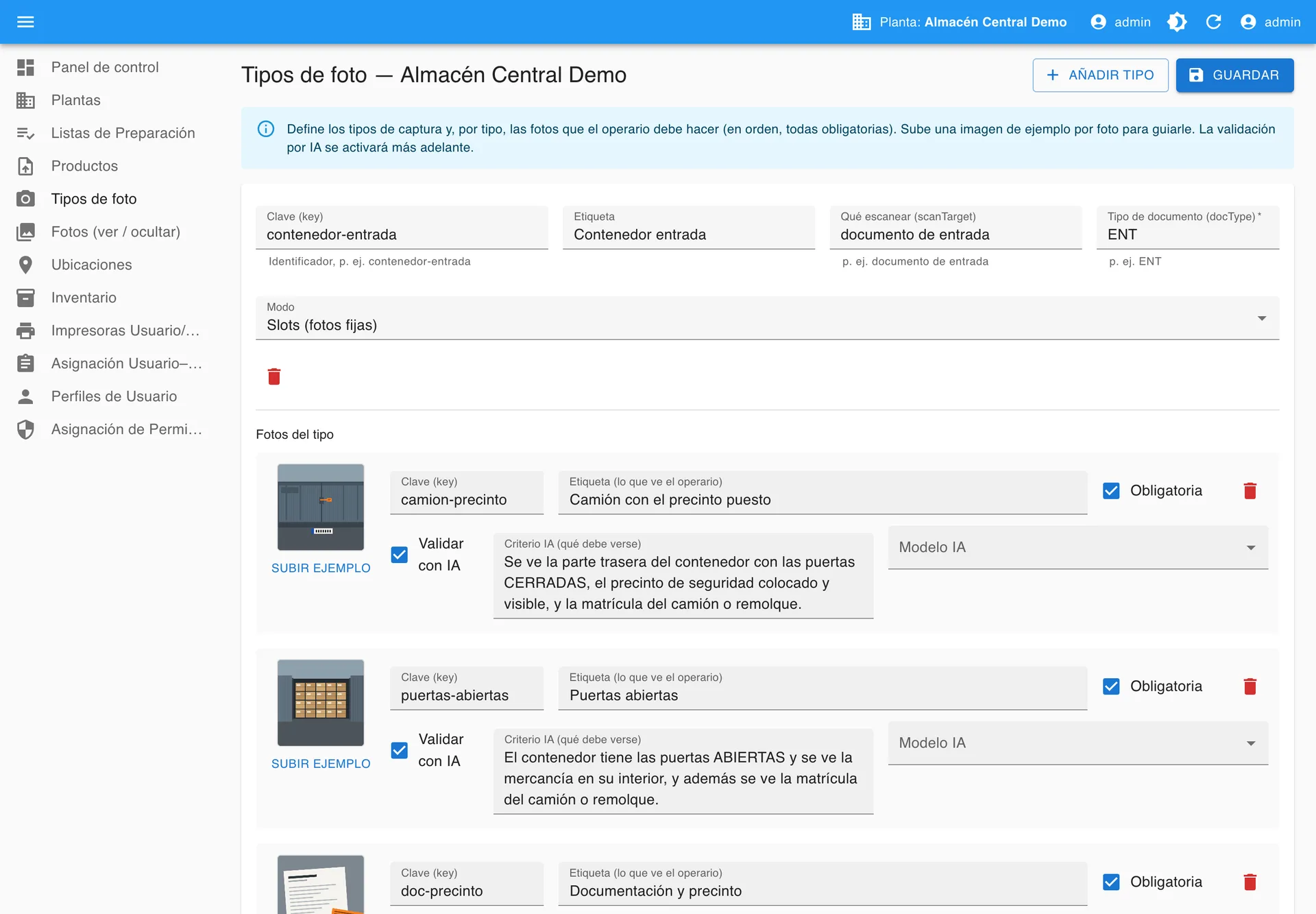
Every photo type carries a single sentence saying what has to be visible. The AI looks at each photo and checks that sentence before it is stored.
What the AI checks · written by the warehouse
The rear of the container is visible with the doors CLOSED, the security seal fitted and visible, and the number plate of the truck or trailer.
Photos are consulted from the Tracker, Caotic’s web portal: the warehouse sees them all and each of the operator’s customers sees only their own. Screenshots with demo data.
01
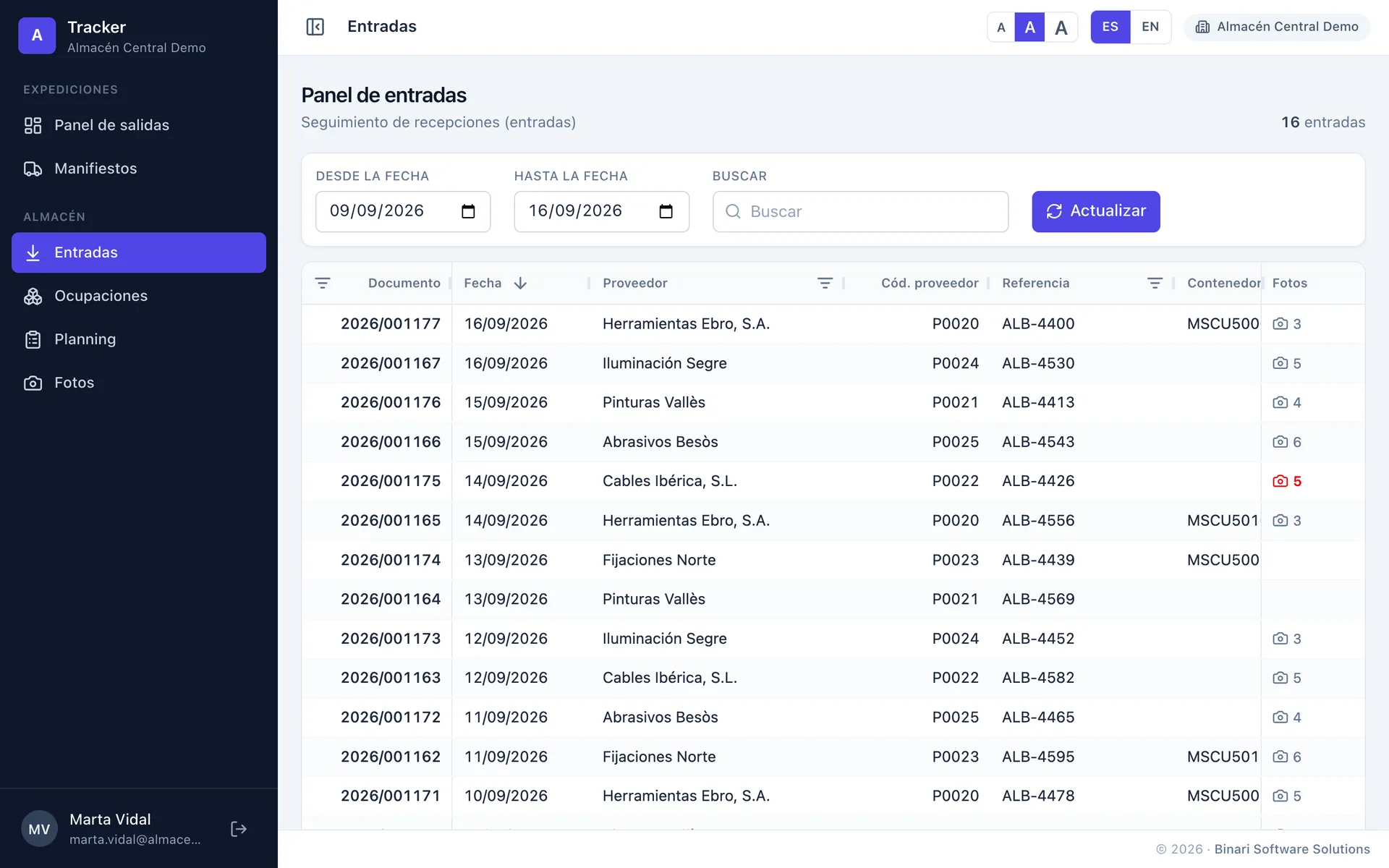
The list of receipts with supplier, reference, container, lines and units. The photo column says how many each one has, red if the AI flagged any. One click opens the receipt with its photos.
02
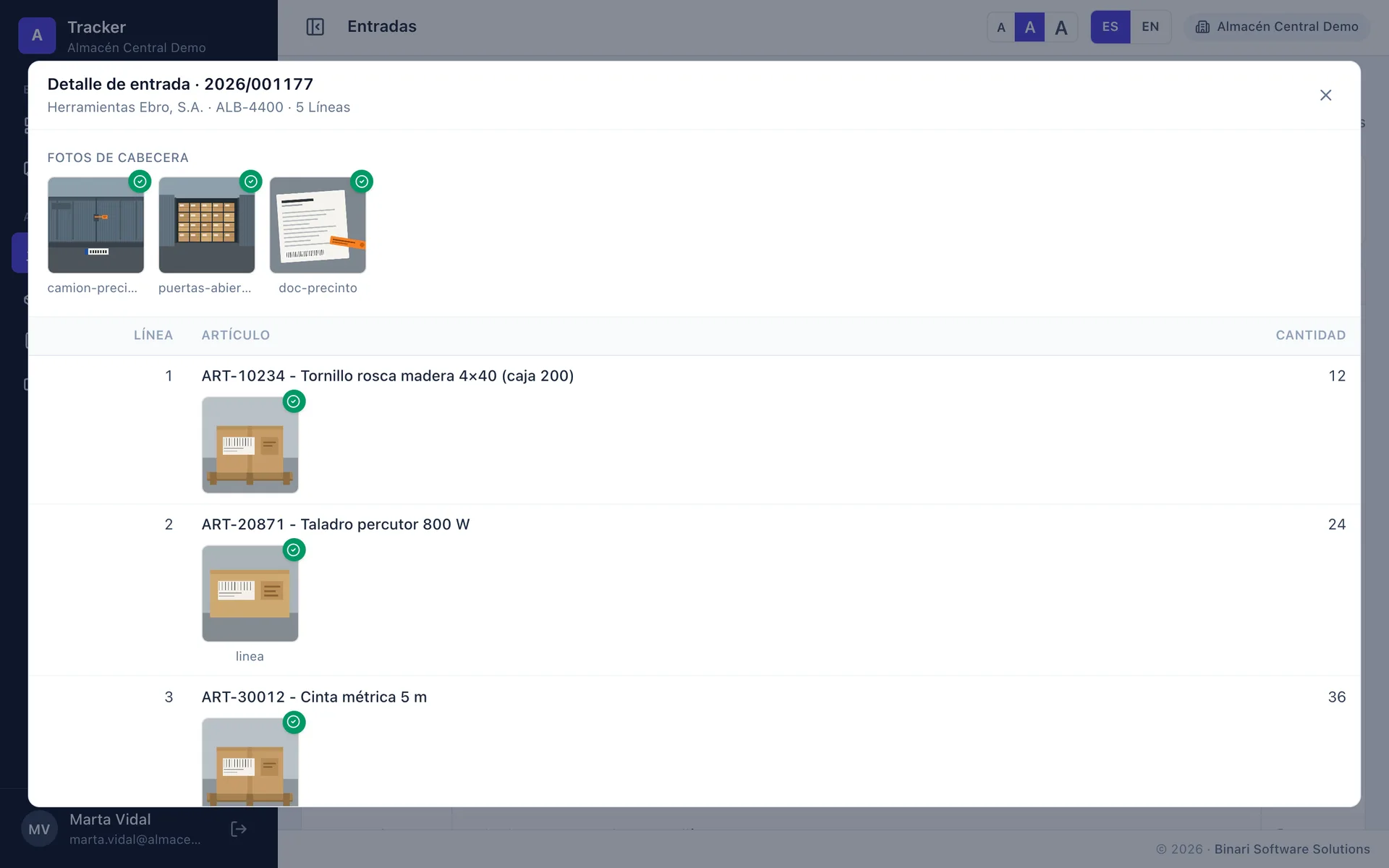
At the top, the photos describing the delivery: truck, seal, paperwork. Below, each document line with its item photos right underneath, not piled up at the end. Green for AI-validated; red for incidents.
03
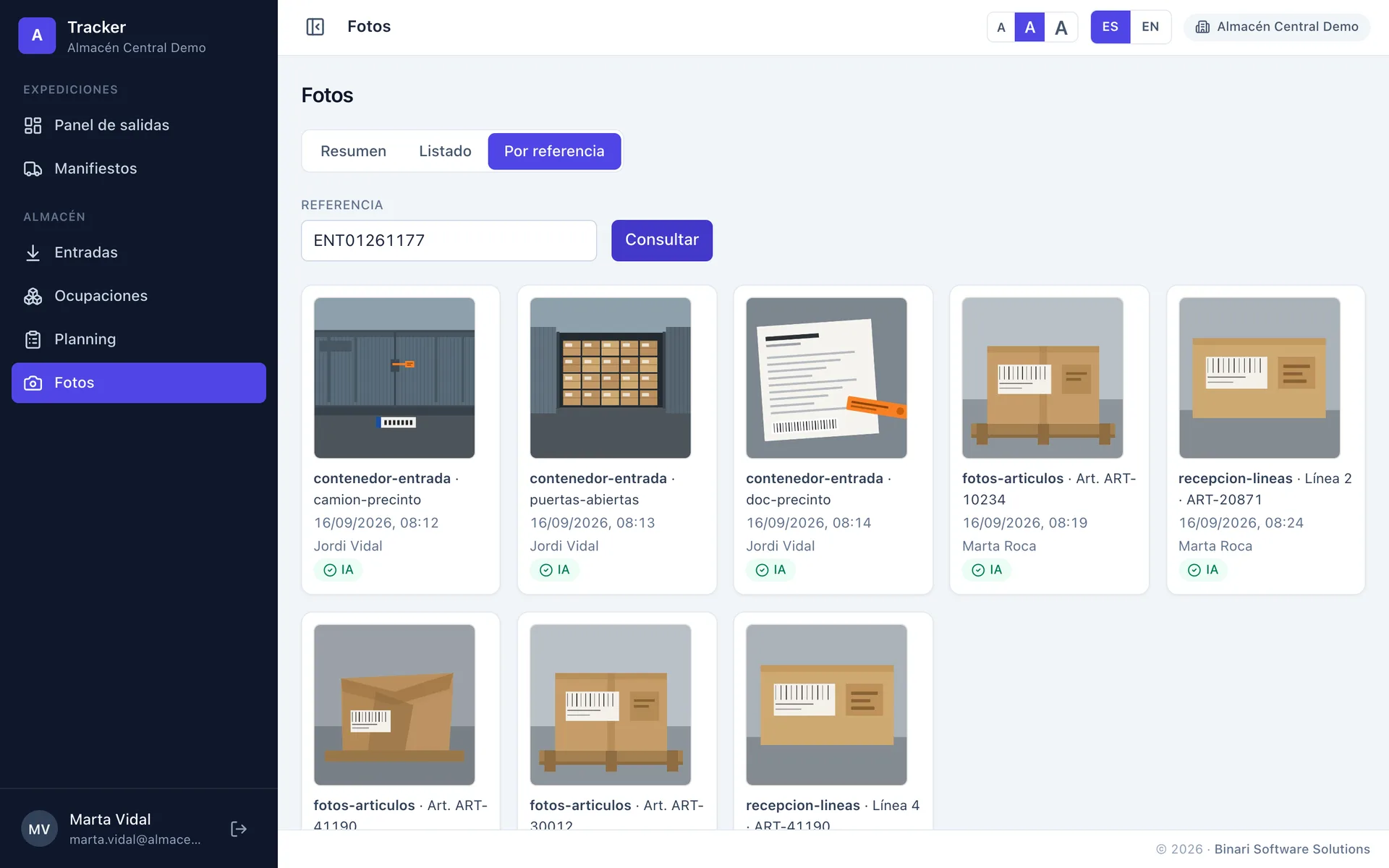
Type the reference and out come all of its photos: type, line or item, date, operator and AI validation. Click one and it opens full size, exactly as it was taken.
04
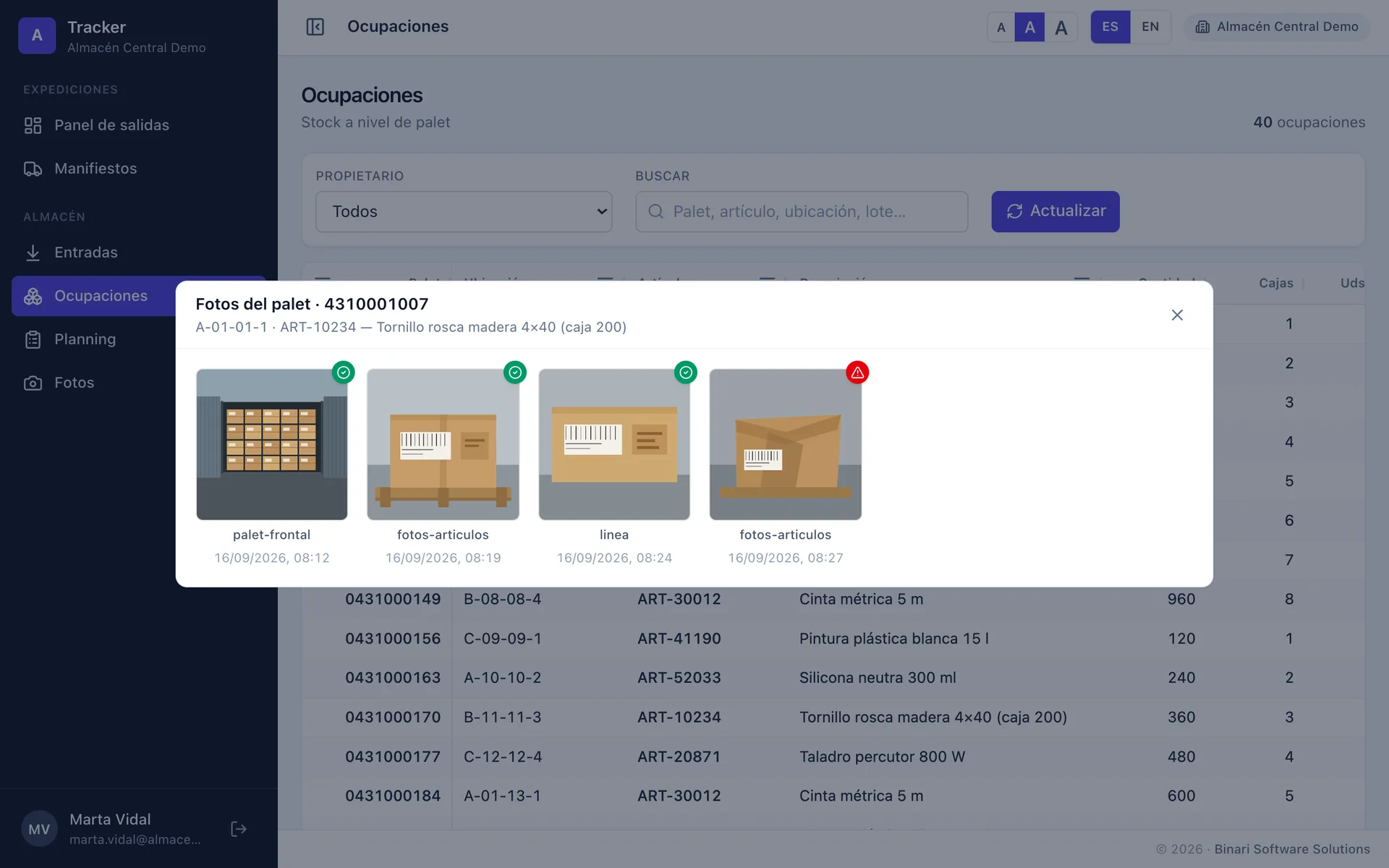
In pallet-level stock, each row says whether that pallet has photos — red if the AI flagged any. They open from there even if they were taken against another document: the goods carry them.
05
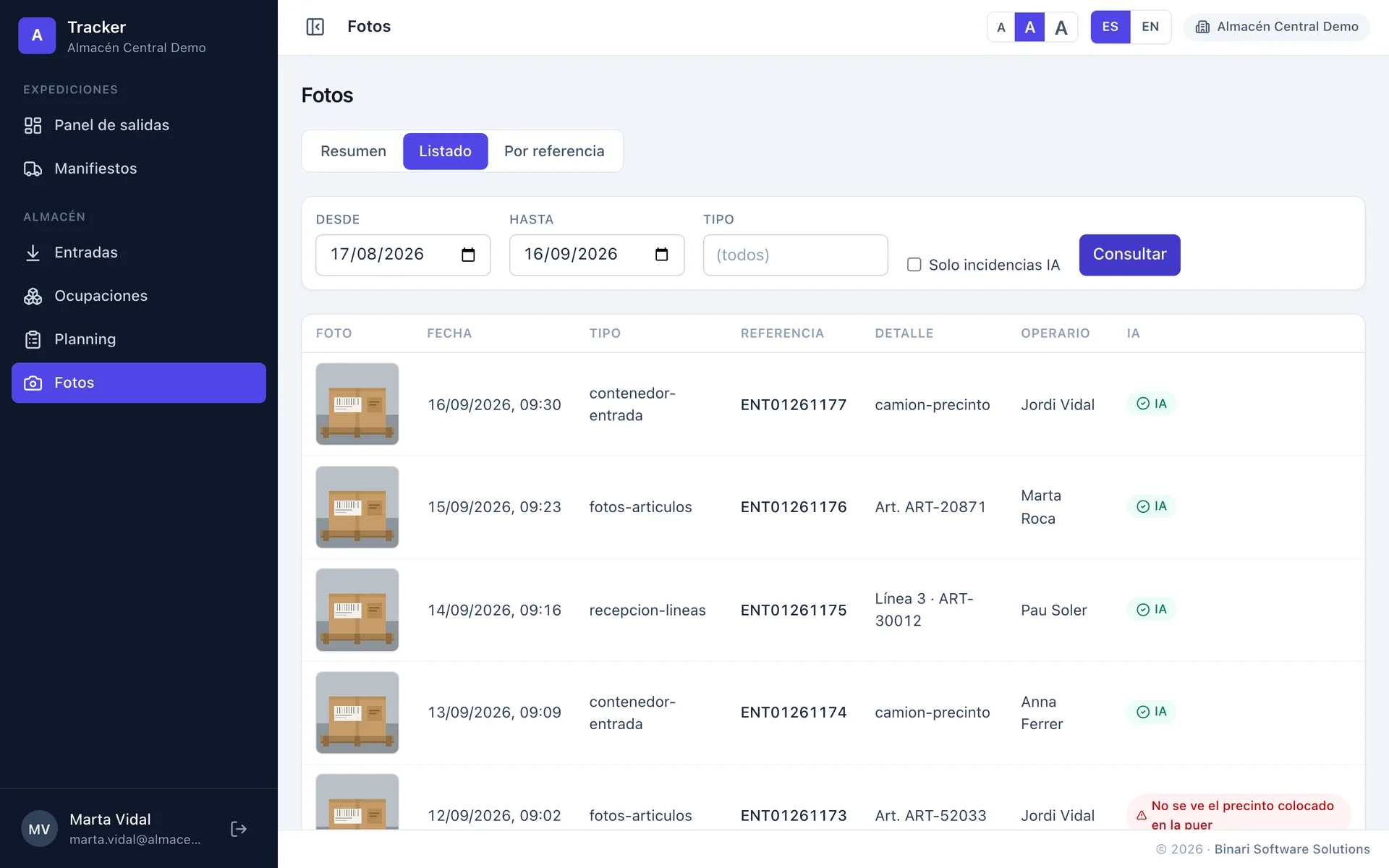
The history between dates, by type, with thumbnail and operator. One filter leaves only the AI incidents: a single screen shows what is being photographed badly, and by whom.
06
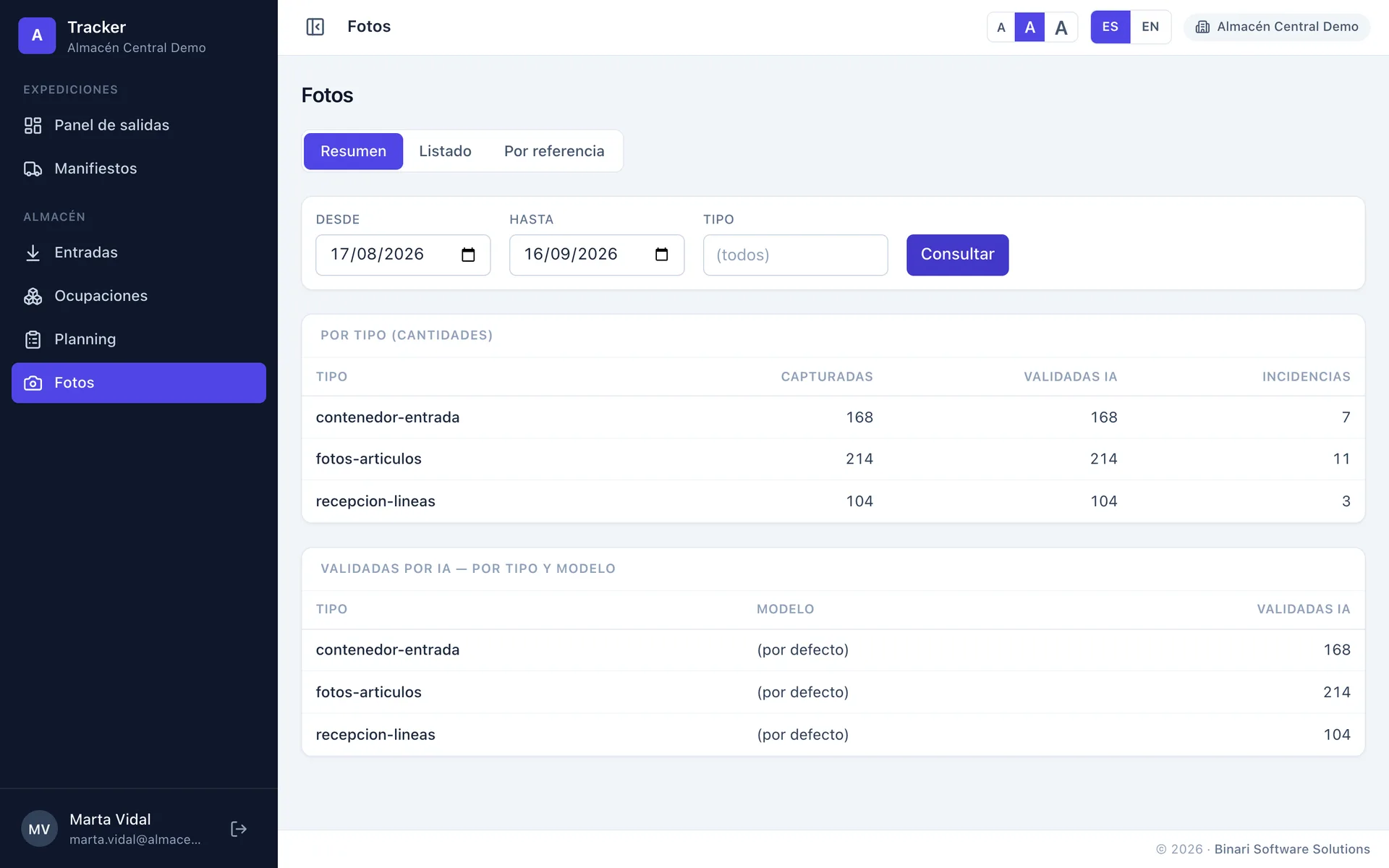
Quantities between two dates: captured, AI-validated and incidents by type, and the validations by AI model. This is the figure a logistics operator bills the service on.
Capture types, what each photo must show and what the AI has to validate are edited from the browser, per warehouse. The handhelds pick the change up on their own.
Bring a delivery note, a handheld and any load. In half an hour the capture type is set up, the AI is validating and the photos are in the Tracker.
+34 93 866 37 30
Travessia, 14, Sant Feliu de Codines
Monday to Friday, office hours