Home / Tracker

Tracker. The warehouse, in the browser.

Caotic’s web portal for the warehouse team and its customers: every outbound order by phase, the manifests, receipts with their photos, pallet-level stock and the day’s KPIs. Nothing to install, on desktop or mobile.

01

Who it is for

Operators and supervisors
Follow outbound orders by phase, resolve priorities and open the detail of each order without going through the RF terminal.
The operator’s customers
Log in with their own user and see only their own: orders, stock, receipts and photos. Fewer calls to the warehouse.
Management
KPIs calculated every day, arranged as they like on the home board.
Carriers and sales reps
The same screens on mobile, with cards instead of tables.
02

The screens

Tracker screenshots with demo data.

01

Home: the warehouse KPIs

The month’s outbound orders by status and phase, and the KPIs published by the administrator: lines picked, accuracy, occupancy, time per order. They are calculated by a scheduled process, so the screen costs the warehouse database nothing even if everyone has it open. Each user arranges their own board.
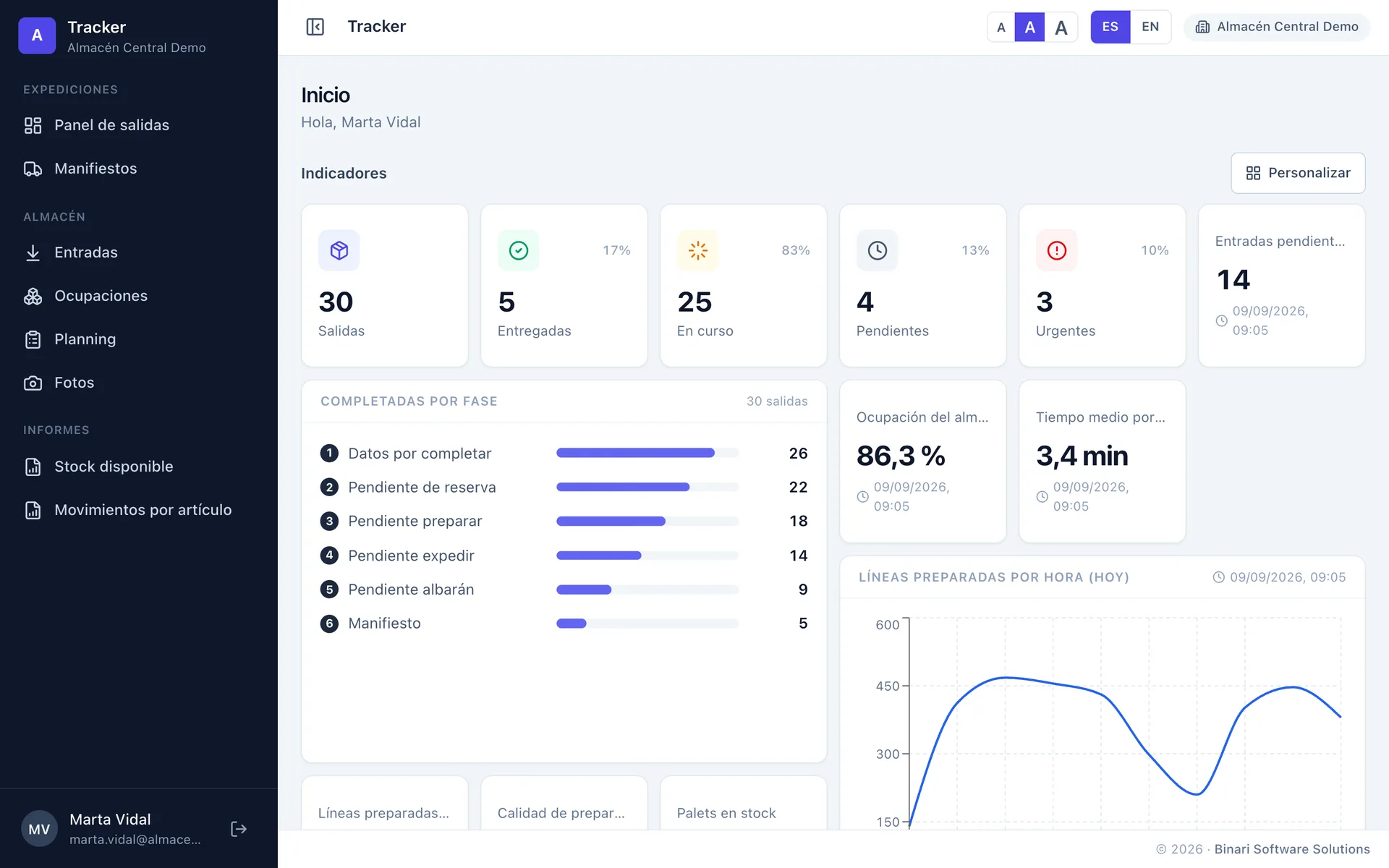
Tracker home board with KPIs, outbound orders by phase and a chart of lines picked per hour
Home · KPIsdemo data

02

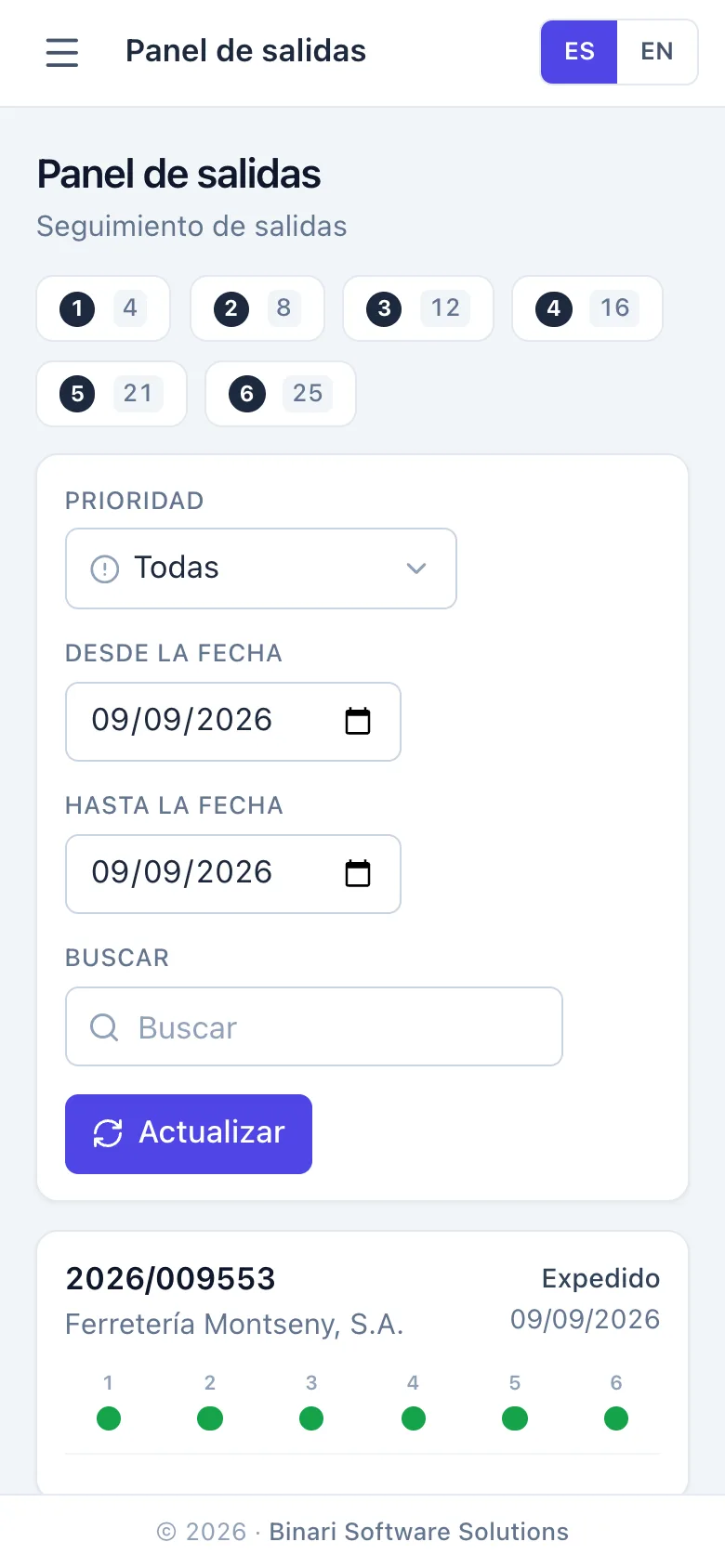
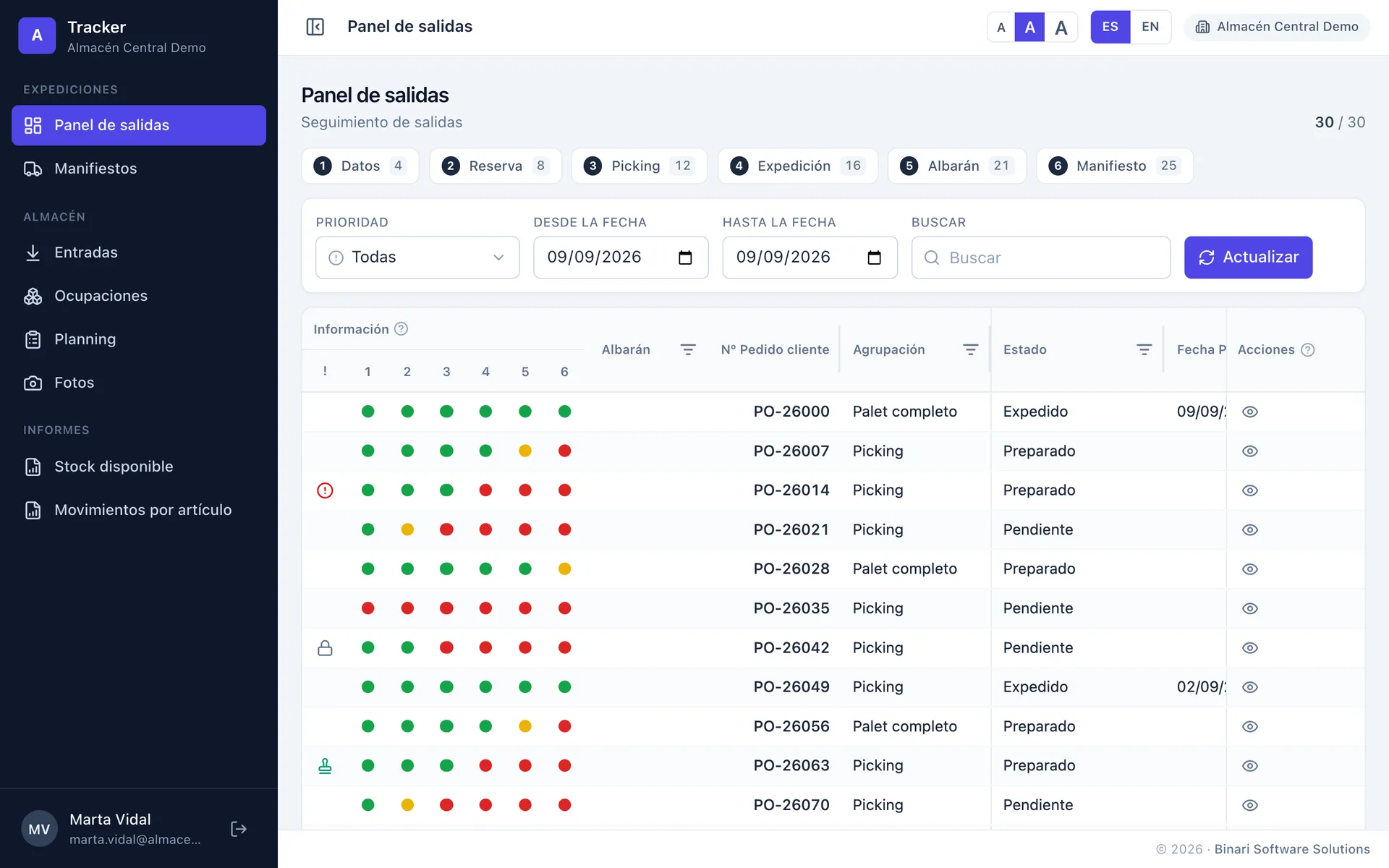
Outbound panel: six phases as traffic lights

Every outbound order with its six phases (data, reservation, picking, dispatch, delivery note, manifest) as traffic lights. Filters by phase and priority, search by customer or order, and the line-by-line detail with the delivery note of each delivery, the scanned note and the proof of delivery.

Outbound panel with the six phases of each order as traffic lights, filters by phase and priority
Outbound paneldemo data

03

Manifests: every lorry and what it carries

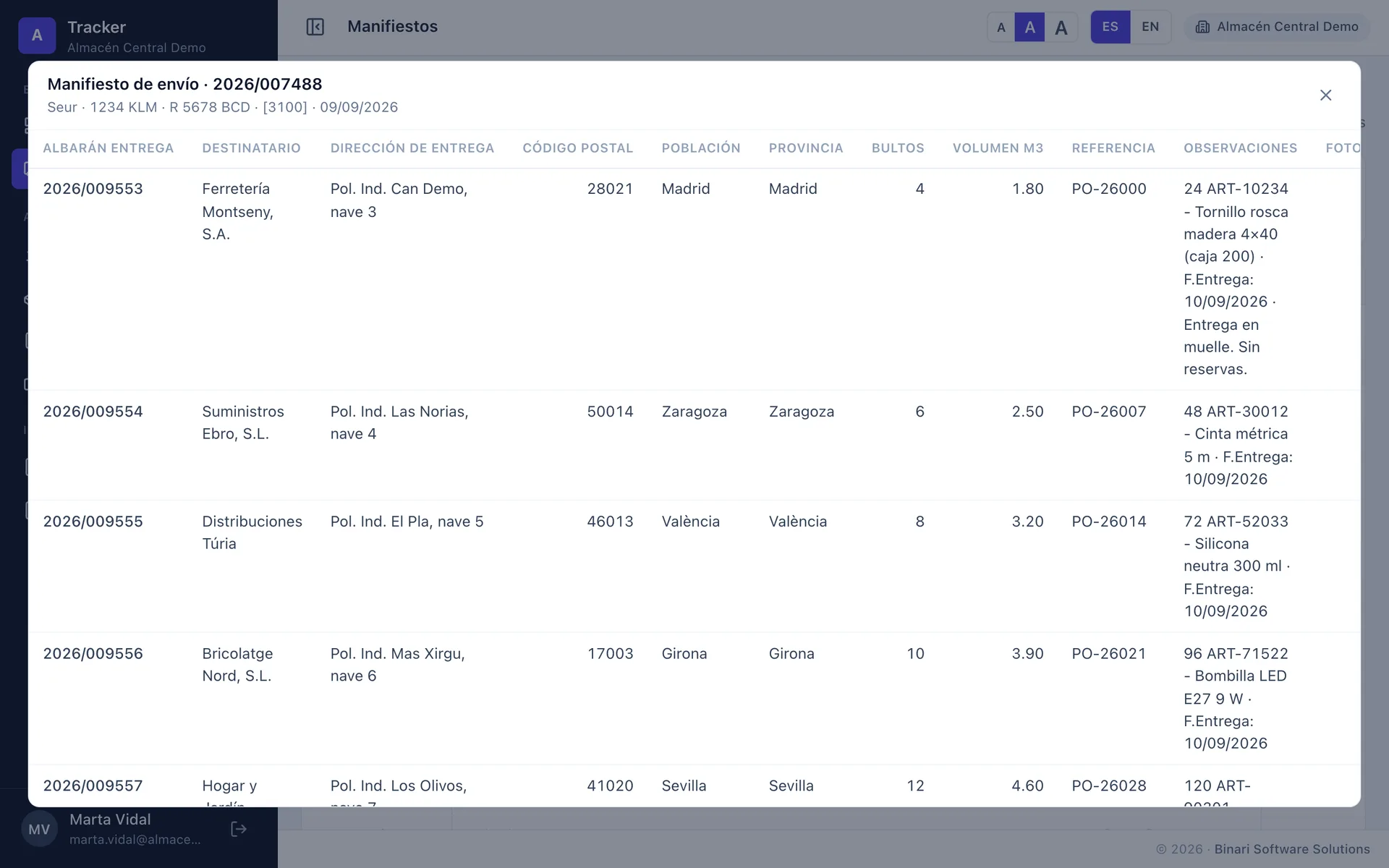
Carrier, number plates, manifest code and totals of packages, volume and weight. Open it to see the delivery notes it carries, with consignee, address, reference and remarks. It is the same manifest the DeCA is issued from.

Detail of a shipping manifest with carrier, number plates and the delivery notes it carries
Manifests · detaildemo data

04

Receipts: inbound with their photos

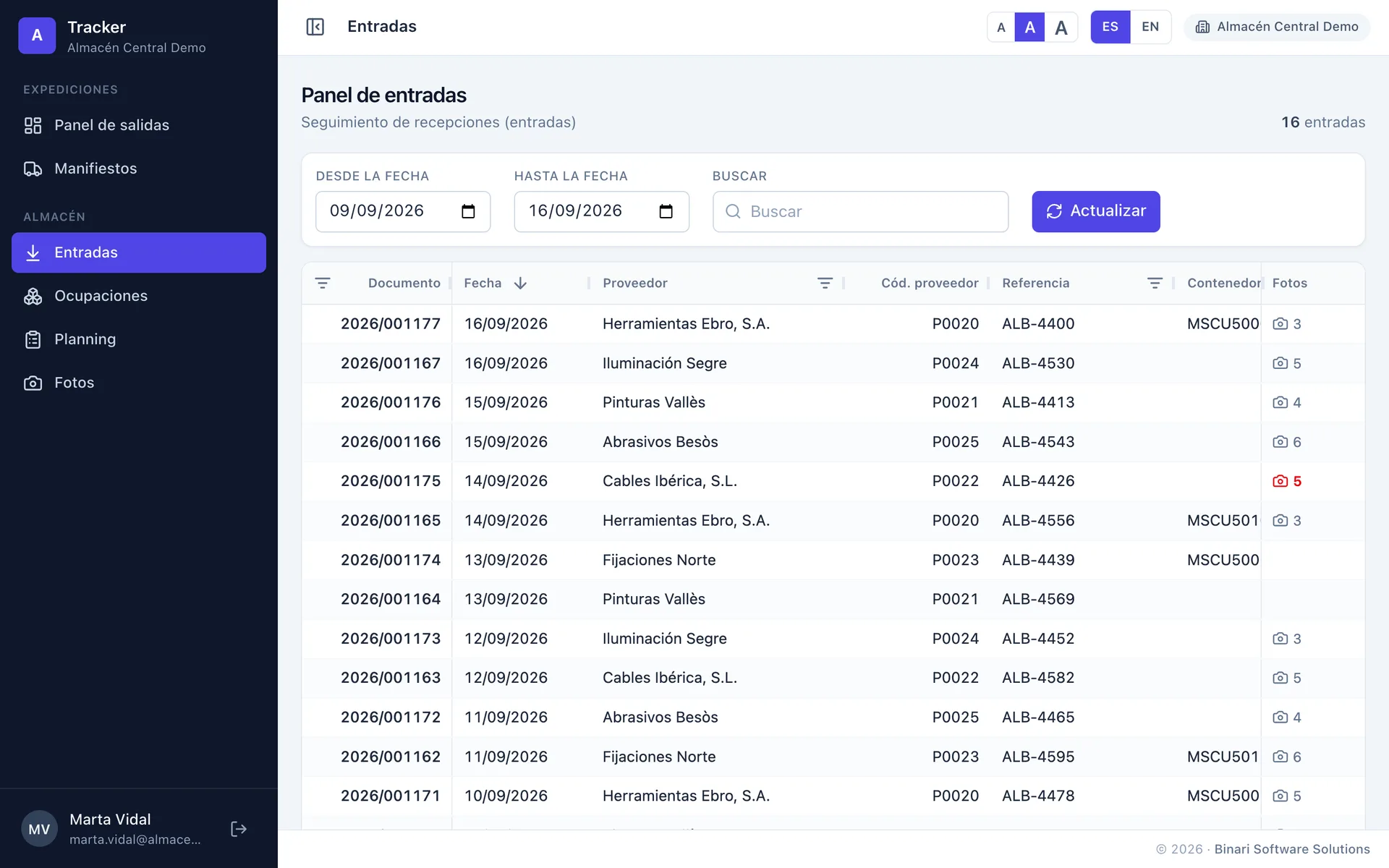
Each receipt with supplier, reference, container, lines and units. Photos taken at the dock are linked to the document: the photo column says how many there are and, when the receipt is opened, they show under each line.

List of receipts with supplier, date, reference, container, lines, units and photo count
Receiptsdemo data

05

Occupancies: pallet-level stock

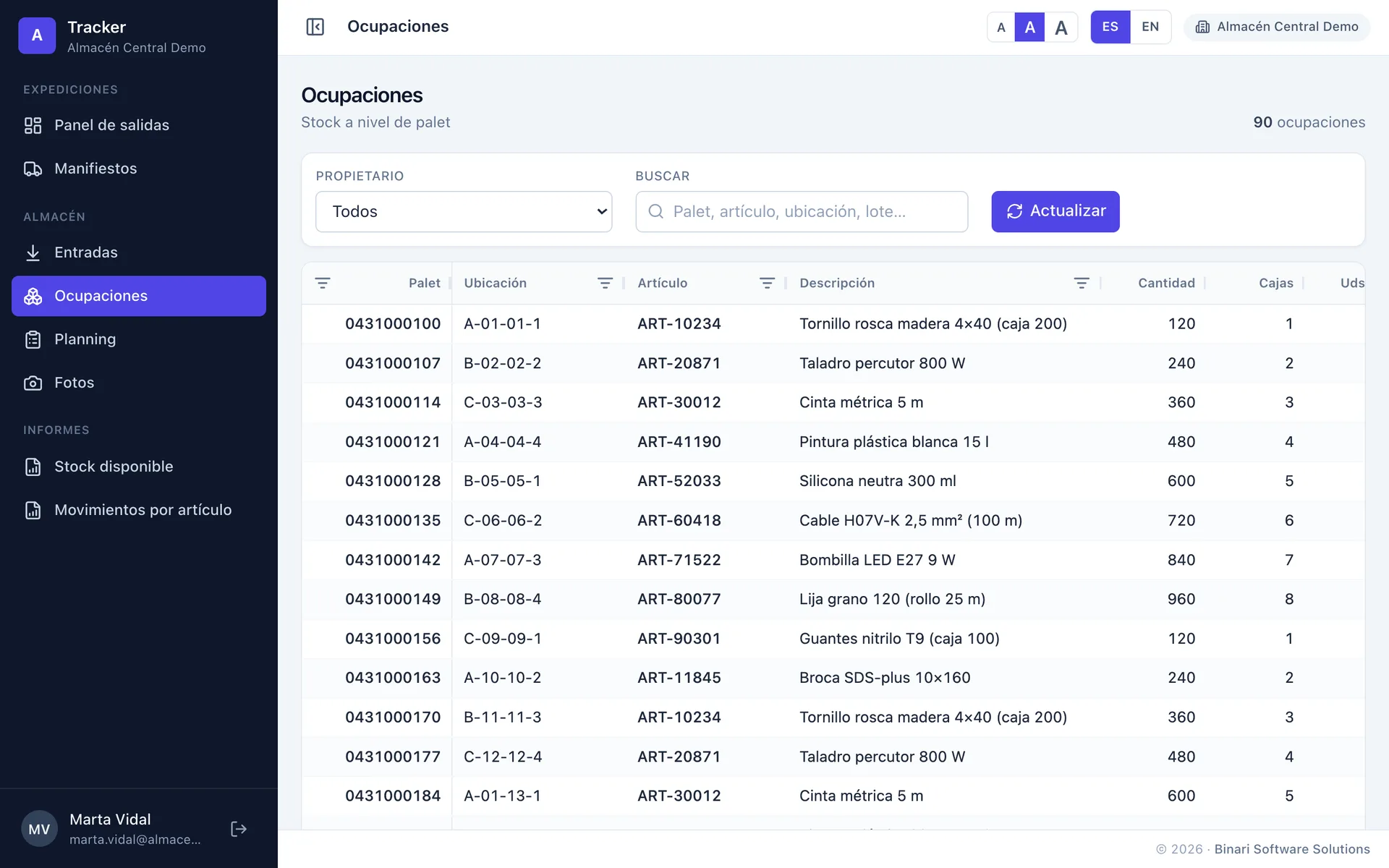
Pallet, SSCC, location, article, lot, expiry date, quantity, owner. Search and filters in the table itself. A customer of the operator sees only their own goods; the warehouse sees everything.

Occupancies: pallet-level stock with location, article, description, quantity and cases
Occupanciesdemo data

06

Planning: picking lists and waves

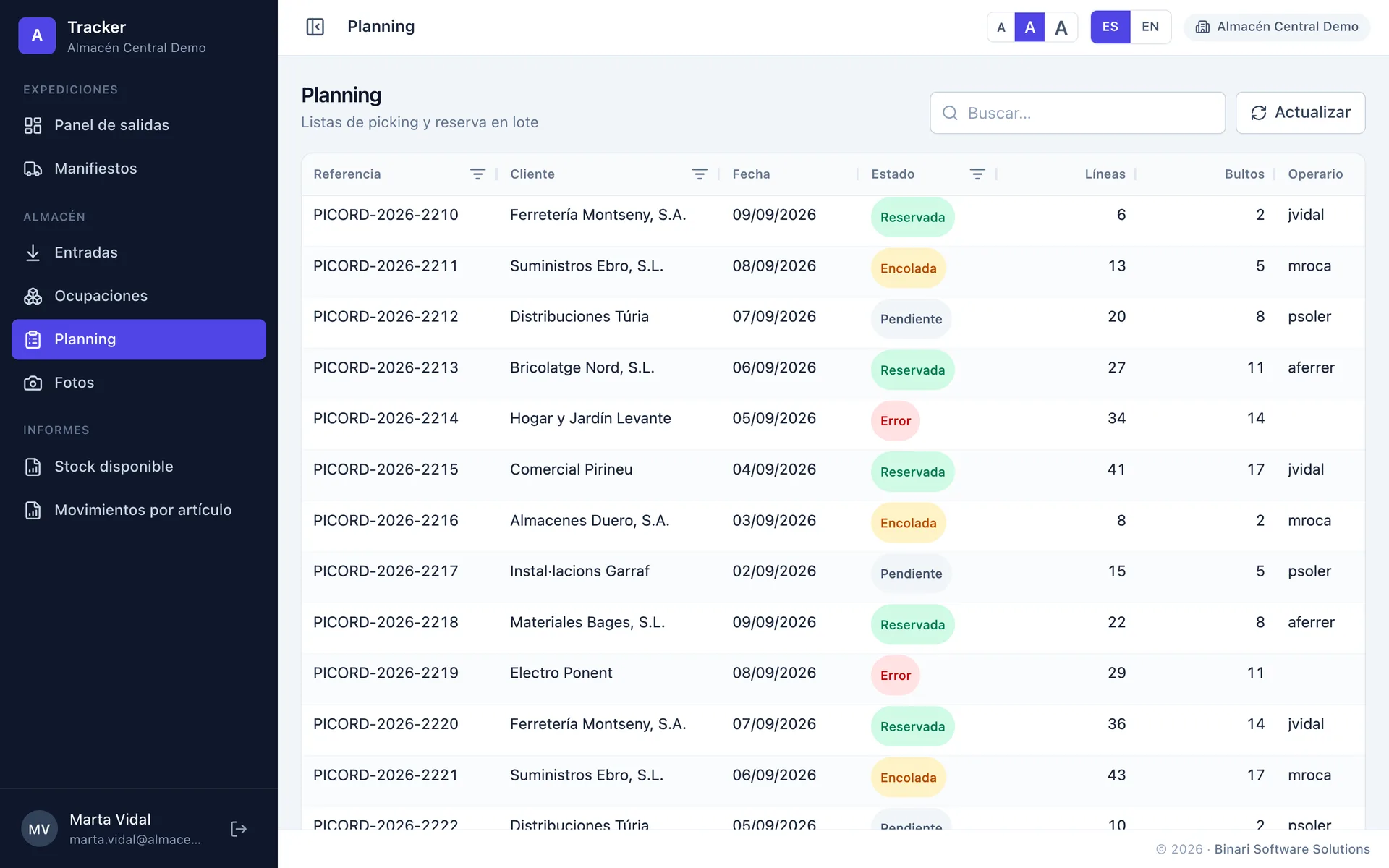
Picking lists with their status, lines, packages and operator. The bulk reservation of a whole wave is launched from here and executed by Caotic.

Planning with picking lists, status, lines, packages and assigned operator
Planningdemo data

07

Photos, reports and mobile

Photos are taken from the RF terminal itself at the dock, linked to the document and the pallet, and an AI validates every photo and flags incidents. Warehouse reports (available stock, movements per article) sit in the same menu. And everything on mobile: tables become cards.

Tracker on mobile: outbound panel with phases and orders as cards
Mobile · outbound panel

How the AI-validated photos work →

03

Technical sheet

Type
Caotic web application (portal). Used from the browser, no installation.
Users
Multi-company: one Tracker for the warehouse and its customers. Administrator, operator and customer roles; each user sees only the options and data assigned to them.
Data
In real time from Caotic through Binari’s API. KPIs are calculated on a schedule.
Screens
Home, outbound panel, manifests, receipts, occupancies, planning, photos and reports.
Languages
Spanish and English, with adjustable text size.
Devices
Desktop, tablet and mobile.

Shall we look at Tracker with your data?

A demo with your real orders and customers, at your warehouse or by video call.

+34 93 866 37 30
Travessia, 14, Sant Feliu de Codines
Monday to Friday, office hours